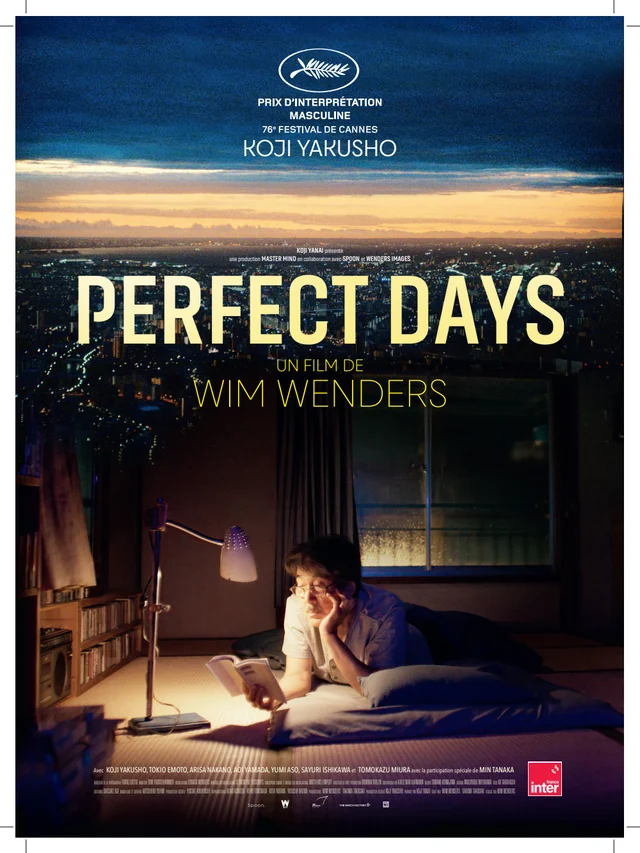
To preserve a film’s framing, respect its aspect ratio and avoid zoom settings that crop the edges. Black bars can be normal: compare the edition’s ratio with your screen’s ratio.
Editorial update : · Our method
01 Understand proportions
Aspect ratio describes width/height, not resolution. A 1.33:1 frame is nearer a square than 1.85:1. Our ratios describe cited editions; check the reference when versions differ. An image narrower than your display can be correct and need no repair.
02 Check display
Start with your device’s original, fit or automatic display mode. Zoom can fill the screen by removing edges; stretching can distort people. Black bars can preserve composition, as Netflix’s help confirms. Check a face and a circular object before blaming the video.
03 Observe composition
Compare PlayTime with Perfect Days: notice horizontal coexistence of people and objects, then a character’s vertical position. This is observation, not a ranking of formats. If bars sit inside an already framed video, consult device support rather than always zooming.
Fit, zoom or stretch: see the difference
Compare three settings using the same drawing. Marks at both edges show what disappears; the circle reveals distortion.
Fit
Zoom to fill
Stretch to fill
In zoom mode : 25.0 % of the drawing’s area is outside the frame.
Geometric calculation with centred zoom and no bars embedded in the video. This drawing represents no film. Real crops may shift the centre. Microsoft — Picture aspect ratio ↗
Frequently asked questions
Are black bars a fault?
They may preserve aspect ratio. Zoom may crop a face or gesture; compare edition format and player settings.